Amazing Faculty Work and Personal Stories Create Impactful University Magazine Articles
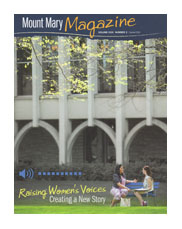 When I was asked to write a couple of articles for the summer edition of Mount Mary Magazine, the magazine issue theme intrigued me: raising women’s voices. For the articles, I had the opportunity to speak with several Mount Mary University faculty about the work they and their students do to help give women a voice and to strengthen women’s voices in the community and the world.
What I found were amazing faculty! The faculty members had very personal stories that impacted the professional work they do, and the women that they teach.
- Dr. Kristen Roche, the MBA program director, witnessed early in her business career how gender may impact job titles given to employees with the same experience. She now is passionate about helping students learn to negotiate in the workplace for better pay, benefits, and jobs.
- Rachel Monaco-Wilcox, chair of the justice program, became a lawyer after being frustrated about the lack of help available for certain populations. Recently, she founded a free legal clinic, Legal Options for Trafficked and Underserved Survivors (LOTUS), to help human trafficking victims and other survivors of crime. She’s also revolutionizing justice education by focusing Mount Mary’s program on a survivor-informed perspective of justice.
- Dr. Jennifer Peterson, assistant professor of communication, discovered how misconceptions about AIDS and HIV impacted women and their voices during a research project in grad school. As a professor today, she teaches her students, particularly students studying health communication, to find a cause they are passionate about, as well as to ensure all people’s voices are present in conversations about health topics.
- Dr. Bruce Moon, chair of the Art Therapy Department, overcame his turbulent teenage years by engaging in art. He’s spent his career helping others cope with their feelings and life struggles through art therapy.
- Dr. Lynn Kapitan, director of the Professional Doctorate in Art Therapy program, began her career as a public school art teacher and ultimately become an art therapist. She travels to Nicaragua each year for community-based art therapy research, which helps women survivors of domestic abuse participate in projects to develop their voices and leadership skills.
To read more about these amazing professors’ stories and work, see my articles on pages 3 through 9 of the Mount Mary Magazine Summer 2014 edition.
About Dana’s Creative Services
Dana’s Creative Services is a writing and editing services company that helps businesses communicate better with their target audiences. Dana McCullough, owner of Dana’s Creative Services, writes and edits copy for brochures, newsletters, websites, blogs, magazines, and books. Her clients include universities, nonprofit organizations, magazine publishers, and book publishers nationwide. Dana has a bachelor’s degree in journalism and frequently writes and edits copy on higher education, genealogy/family history, health, and business topics. Twitter: @DanasCreative
Tools of the Trade: 5 Essential Tools This Freelancer Can’t Live Without
 When I began to do freelance writing and editing full-time, I thought all I’d need was my laptop and an Internet connection to do my work efficiently. The longer I have freelanced, the more tools I’ve discovered to help me be a more efficient and productive writer and editor.
Here are five of the tools I now can’t live without:
1. Evernote. I first heard about Evernote Web Clipper from a genealogy magazine I frequently write and edit articles for. The editors there loved this free tool, and now so do I. It provides a great way to save articles you see online and organize them. It helps me keep any info I use as source material in a safe place where I can find it again if editors need it for fact-checking. It also gives me a single place to put items I see that spark story ideas I want to pitch later.
2. My all-in-one printer. I didn’t realize how important an all-in-one printer/scanner/copier was to my business until my old all-in-one stopped working. All of a sudden one day, it wanted to eat the paper instead of print on it. After a few nights of online research, I ended up purchasing an Epson WorkForce WF-7520. It has an auto document feeder (great for scanning and copying), prints double-sided sheets of paper, and prints on 11×17 paper.
Even though I read the dimensions of the printer online, its large size still surprised me when I unpackaged it (my husband has nicknamed it Big Bertha), but despite the desktop space it hogs, I love it! It has made my life easier since I got it. Scanning is quicker. I save paper by printing on both sides of a sheet. And I don’t have to squint to read miniscule type when I need to print and proofread book or magazine spreads.
3. Google Drive. Early on as a freelancer, I had a computer crash scare. My motherboard had to be replaced, but luckily all the files on my hard drive were safe. Since then, I became more diligent about backing up my files. I put all current project files on the Google Drive, so I can access them anywhere. That way, if my computer crashes again, I won’t lose days of work and can continue working while my computer is in the repair shop (or while I shop around for a new computer.)
4. Dropbox. I use Dropbox often for getting large files (like photos for stories) to my editors. It’s way better than sending dozens of emails with super large attachments. And it’s free.
5. Pandora. Let’s face it: writing in a room by yourself can get very quiet, sometimes eerily quiet. When it gets too quiet or I need a little energy or creativity boost, I turn on a Pandora channel. The music provides good company, and helps the words flow from my fingertips to my Microsoft Word document.
Do you have any tools you use every day to help make you more productive? Post a comment or tweet me on Twitter @DanasCreative to share your favorite productivity tools.
Image credit: Image by aopsan/FreeDigitalPhotos.net; alterations by Dana’s Creative Services
About Dana’s Creative Services
Dana’s Creative Services is a writing and editing services company that helps businesses communicate better with their target audiences. Dana McCullough, owner of Dana’s Creative Services, writes and edits copy for brochures, newsletters, websites, blogs, magazines, and books. Her clients include universities, nonprofit organizations, magazine publishers, and book publishers nationwide. Dana has a bachelor’s degree in journalism and frequently writes and edits copy on higher education, genealogy/family history, health, and business topics. Twitter: @DanasCreative
Editor’s Perspective: The Right Way to Treat Titles
 Recently, a client asked for my advice on how to treat book, journal, and article titles in her organization’s communications materials. The question came after some debate within her organization on whether certain titles should be in quotation marks or italicized, and how that formatting would reflect on the organization’s competence and brand.
So what is the right away to format book titles? Well, a post from Writer’s Digest (yes, I did just put that magazine title in italics), has the right answer: it’s up to you, but you (and others at your organization) need to stick with whatever format you choose.
For example, the AP Stylebook encourages using quotation marks for book titles. The Chicago Manual of Style recommends italicizing titles of books, pamphlets, periodicals, newspapers, plays, movies, and TV programs. It also suggests using quotation marks around titles of articles, poems, songs, and TV episodes.
In my experience working with magazine and book publishing companies and university communication and marketing offices, most organizations use the Chicago Manual of Style way for titles, even if they normally adhere to AP style. In fact, all five universities featured in my recent post on editorial style guide examples follow this approach.
It’s okay to have exceptions like these in your editorial style guide. That’s why it’s important to have an editorial style guide specifically tailored for your university or company and the unique editorial situations you encounter.
Overall, what matters more than being right is consistently using the same style (and exceptions) in all of your external and internal communication pieces (website, magazine, brochures, e-mail blasts, etc.). And, if the exceptions are in a written style guide, it helps to have that guide to show anyone who questions your editorial style decisions.
About Dana’s Creative Services
Dana’s Creative Services is a writing and editing services company that helps businesses communicate better with their target audiences. Dana McCullough, owner of Dana’s Creative Services, writes and edits copy for brochures, newsletters, websites, blogs, magazines, and books. Her clients include universities, nonprofit organizations, magazine publishers, and book publishers nationwide. Dana has a bachelor’s degree in journalism and frequently writes and edits copy on higher education, genealogy/family history, health, and business topics.
College Marketing: Why Maintaining Social Media Takes Time
 Time to regularly create and maintain websites, blogs, and social media content is a big concern to many of my clients, particularly colleges and universities. Many colleges and universities are hiring full-time social media managers to handle all of this content, while others continue to add on this responsibility to one (or more) staff members’ job descriptions.
In my experience, some top administrators (you know, the ones who set budgets and make hiring decisions) don’t fully understand the thought, time, effort, strategy, and tracking involved in managing these “free” tools. It’s not always as simple as spending 15 minutes a day creating posts. (Just check out this Business Insider post that shows how a single corporate tweet can take more than a month to create.)
So, why does maintaining social media take so much time?
1. It requires lots of content. The person who manages your social media has to have her pulse on anything and everything happening at the university. To do that, she needs to network with students, faculty, and staff across the entire campus. She needs to coordinate photography of events or happenings to feature on social media. And if new stories, blogs, event listings, or other fresh content aren’t already regularly posted on your website, your social media manager may have to interview sources and write this content herself.
2. It requires a strategy. Some people may advise you to just jump right in and get started with social media without a strategy or plan. But before you spend your time on this, consider these questions: Does the social media tool you want to use really reach your target audience? What is your goal in using a particular social media tool? How are you going to measure success? What type of content are you going to post? Who is going to develop that content and how will that impact their other job responsibilities?
3. It requires constant attention. One of the goals of using social media is to engage your audience. Some of the best, most meaningful interactions you can have with your target audience on social media will be impromptu interactions. Constituents who post questions on your Facebook or Twitter page expect an answer right now.
Your social media manager not only needs to develop fresh content, she needs to interact with your audience members who are trying to engage with your organization. This means she needs to respond to posts, and sometimes she may have to research answers to questions your audience asks.
4. It requires writing and scheduling. Keeping social media posts fresh involves lots of planning. The social media manager needs to strategically decide when items will be posted. For example, you wouldn’t want the post about tonight’s upcoming soccer game to go up tomorrow, would you? The social media manager also needs to write the actual social media posts, confirm the URLs she plans to link to actually work, and convert any images to web-ready formats.
Using a scheduling tool like Hootsuite can help streamline scheduling, but have you tried writing something in less than 140 characters? It’s not always easy. It takes times if you want quality content in the appropriate voice to support your university’s brand.
5. It requires reviewing others’ social media posts. Part of maintaining social media is finding ways to engage with your followers and the people you follow. To engage with your target audience, your social media manager needs to monitor mentions of your organization or hashtags relevant to your mission or initiatives. Once she finds a relevant mention, the social media manager needs to decide which items to share, retweet, or respond to—and then actually do the sharing, retweeting, or responding.
6. It requires tracking to measure success. If you’re doing social media, but aren’t tracking your impact or results, you might be wasting your time. Your social media manager needs to take time to analyze social media analytics, so she can make better decisions about the content to post in the future. After analyzing the data, she can create reports to let the administration know whether all the time spent on a particular social media platform is worth it.
7. The technology is always changing. Twitter and Facebook aren’t the same as they were when they first launched years ago. Social media platforms are always evolving their functionality and design. New social media platforms are launching. Your social media manager needs to keep up-to-date and react to the changes in the technology and tools available.
Of course, there are social media management tools out there that can help automate the process. But many of them cost money, and it takes time to research and learn how to use the best existing tools (and emerging tools) that meet your university’s needs. And, no matter how automated the posting, tracking, and monitoring gets, someone still needs to generate the initial content, review the tracking reports, review the mentions, and then make decisions on what (and where) to post tomorrow.
About Dana’s Creative Services
Dana’s Creative Services is a writing and editing services company that helps businesses communicate better with their target audiences. Dana McCullough, owner of Dana’s Creative Services, writes and edits copy for brochures, newsletters, websites, blogs, magazines, and books. Her clients include universities, nonprofit organizations, magazine publishers, and book publishers nationwide. Dana has a bachelor’s degree in journalism and frequently writes and edits copy on higher education, genealogy/family history, health, and business topics.
Genealogy: Tips for Planning a Family History Road Trip
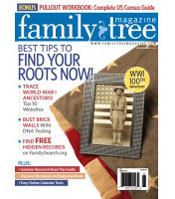 I love to travel, and was excited when I had the opportunity to write an article on summer genealogy road trips for Family Tree Magazine’s July/August 2014 issue.
For the article, I interviewed staff at top destinations for genealogists around the country, including the Family History Library (FHL), the New England Historic Genealogical Society (NEHGS) Library, Allen County Public Library (ACPL) Genealogy Center, and Ellis Island.
Here are a few things I learned from these professionals about making and planning for a genealogy road trip:
1. Every trip may be different. Especially at genealogy libraries, every trip you make there could be different. Libraries are constantly acquiring new materials and family histories, so even if you didn’t have much luck the last time you visited, something new and relevant to your family history research could have arrived the next year. So, it pays to check back with the library every once in a while.
2. Do your homework before you go. To take the best advantage of resources accessible on-site only, do some research before you go. Search the library’s online catalog so you know what books or microfilm you want to (and can) access. Browse or search any available online databases. Some repositories may store records in off-site storage facilities, so if there’s something specific you want to see, find out how you can request to access to those materials when you’re there (or before you go).
3. Call ahead. Historic sites, libraries, and archives may change their hours of operation (or may be under renovation, which causes access issues to certain records) due to holidays or during their busy or slow seasons. Call ahead to confirm the hours posted on their website are still correct. And while you’re calling, ask if any large groups are scheduled to be at the center during the dates you’re planning to visit. If so, you may want to consider shifting your trip dates to avoid the crowds and maximize your time there.
For more details and specific tips on visiting the FHL, NEHGS Library, ACPL Genealogy Center, and Ellis Island (such as collections you can access, how to get there, and other genealogy and history sites to visit while you’re there), see my article in the Family Tree Magazine July/August 2014 issue.
Also, check out the Family Tree Magazine May 2014 podcast (starting at 7:30) to listen to an interview I gave about this article and genealogy road trip tips.
About Dana’s Creative Services
Dana’s Creative Services is a writing and editing services company that helps businesses communicate better with their target audiences. Dana McCullough, owner of Dana’s Creative Services, writes and edits copy for brochures, newsletters, websites, blogs, magazines, and books. Her clients include universities, nonprofit organizations, magazine publishers, and book publishers nationwide. Dana has a bachelor’s degree in journalism and frequently writes and edits copy on higher education, genealogy/family history, health, and business topics.
Editor’s Perspective: Why Hire an Editor?
 The work that editors do is sometimes undervalued. Of course, as a professional editor, I may be a little biased, but if people could see the work that goes on behind-the-scenes—before a brochure, a book, or even a website is published—they would see the amazing contributions editors make. (Heck, before I post these posts, they go through several iterations to get them just right.)
If you’re on the fence about whether to hire an editor for your next brochure, book, website, blog post, or other writing project, consider these five reasons why hiring an editor is worth it.
1. To get a better product and save time. Whatever you’re writing, after you have an editor review it, the copy should be in an even better state than it was before. An editor may even save you time in the long run, since you don’t have to spend time reviewing your writing for the umpteenth time.
2. To catch errors you might miss. This may seem obvious, but good editors have a keen attention to detail. They see things the writer may not see. With a fresh pair of eyes, an editor will catch any typos you may have overlooked, word usage and spelling errors your word processor’s spelling and grammar check didn’t catch, and gaps in the information presented.
3. To ensure your readers will understand what you write. A good editor will approach your work from the vantage point of your target audience. For example, if you’re writing for teens, but reference the “Saved By The Bell” TV show or “CD-ROMs,” an editor can kindly suggest using more appropriate examples the audience can relate to. If you’re writing for genealogy beginners and you use the acronym FHL, the editor may suggest spelling out the full name of the Family History Library on the first reference so the reader knows what the acronym means.
Plus, if a sentence (or paragraph) just doesn’t make sense, an editor can suggest a way to rewrite it so readers can understand what you’re trying to say.
4. To focus your writing. Sometimes when I write, I do so much research and get so much great information that I just want to put it all in one article. It’s difficult to leave great stuff on the cutting room floor. But overloading a communication piece or article with too many words or too much information could dilute your message and its impact.
An editor can take an objective look at what you’ve written and then suggest places where you can make it more concise, where the focus needs to be shifted to have a greater impact, or where you can re-organize paragraphs to help the copy flow better.
5. To ensure consistency. You’ve seen me blog about consistency and editorial style before, but this is key in creating professional-quality communications materials or publications. For example, do you want to use email or e-mail? Should quotations be attributed with said or says? Do you capitalize job titles?
An editor can make sure the voice and style is consistent throughout your digital or print publication.
Interested in hiring an editor? Contact Dana’s Creative Services to discuss your project and your editing needs.
About Dana’s Creative Services
Dana’s Creative Services is a writing and editing services company that helps businesses communicate better with their target audiences. Dana McCullough, owner of Dana’s Creative Services, writes and edits copy for brochures, newsletters, websites, blogs, magazines, and books. Her clients include universities, nonprofit organizations, magazine publishers, and book publishers nationwide. Dana has a bachelor’s degree in journalism and frequently writes and edits copy on higher education, genealogy/family history, health, and business topics.
College Marketing: 5 Editorial Style Guides to Model Yours After
 A couple of weeks ago, Dana’s Creative Services shared information about why having an editorial style guide is important. It’s not just large universities that have editorial style guides—colleges of all sizes have style guides to ensure their communications and marketing pieces have a consistent style and voice to support their brand.
Today, I’ve found five examples of college and university style guides that you can use as an example when creating your own style guide. If your university doesn’t have editorial style guidelines (or if you’re hoping to update your university’s guidelines), you can use these as inspiration.
1. Iowa State University. This university’s editorial style guide is part of its overall visual identity system that supports its brand. The guide addresses items like acceptable abbreviations to use, how to capitalize academic and administrative titles, formal names for departments, words to avoid using, and capitalization rules.
2. Saint Leo University. Because of this university’s multiple centers across the country, it’s important its staff at all locations adhere to a consistent style to support the university brand. This comprehensive style guide addresses standard descriptions of commonly used terms; key university messages; punctuation; official terminology for university buildings, landmarks, and center locations; and commonly used acronyms.
3. University of Missouri. This university established its writing and editing guidelines to help “ensure clarity and cohesion while reinforcing Mizzou’s distinctive identity.” The editorial style guide include an A-Z list of common terms and word usage (such as adviser, not advisor), info on how to write good captions and headlines, and tips for finding facts about the university, interviewing sources, and fact checking articles.
4. Beloit College. This Wisconsin college’s style guide covers commonly used terms, names and descriptions of campus facilities, how to list alumni graduation dates, and more.
5. Swarthmore College. This Pennsylvania college’s style guide includes guidelines on everything from academic degrees and student organization names to punctuation usage and class note style.
About Dana’s Creative Services
Dana’s Creative Services is a writing and editing services company that helps businesses communicate better with their target audiences. Dana McCullough, owner of Dana’s Creative Services, writes and edits copy for brochures, newsletters, websites, blogs, magazines, and books. Her clients include universities, nonprofit organizations, magazine publishers, and book publishers nationwide. Dana has a bachelor’s degree in journalism and frequently writes and edits copy on higher education, genealogy/family history, health, and business topics.
College Marketing: How Does Your College’s Online Presence Compare?
 On average, it costs colleges and universities $1,641 (not including admissions staff salaries and benefits) to recruit a student through enrollment, according to the recent 2013 State of College Admission report from the National Association for College Admission Counseling (NACAC).
In the same report, colleges ranked the university’s website as one of the top three most important aspects in their new student recruitment strategy. Even though websites (and even other online tools such as blogs and social media) are considered important, not all colleges and universities are using them to their fullest potential.
So how does your school’s online presence compare to other colleges and universities? Let’s check out some more stats from the NACAC 2013 State of College Admission report to see how your online presence stacks up.
1. Content for parents and guidance counselors. We know it’s ultimately the student’s decision where to go to college, but parents and high school guidance counselors (particularly at private schools) are big influencers (whether the students admit it or not). However, only 85 percent of colleges and universities reported offering information on their website tailored to parents of prospective students and only 68 percent said they offer information for high school counselors.
Does your website have information for parents? How about for high school counselors? If you’re in the minority here, you may want to consider adding content directed at those important influencers.
2. Contact methods. Does your website prominently display the school’s phone number as a way to contact the college? If so, you’re not aligning your methods of contact with the ways students and parents prefer to contact schools.
According to the 2013 State of College Admission report, e-mail/Internet is the most popular way for students to contact colleges, with 40 percent of all admission inquiries being received via e-mail or the Internet. Of all the methods used to contact schools (college fairs, high school visits, written sources), phone calls were the least popular method for contacting colleges. So, make sure the admission office’s e-mail address or an online contact form is displayed prominently on your site.
3. Social media tools. The report found that 96 percent of schools provide links to their social networking sites, and an increasing number (52 percent) have blogs by current students. Some colleges even have blogs by admission officers and offer podcasts. What’s your social media presence like? Are you in the 4 percent that doesn’t link to your social media sites? Is anyone from your college blogging?
The report didn’t go into specific social media platforms used by colleges and universities, but many news outlets have covered how the social media tools used by teens are changing. Some studies show teens are moving away from Facebook, and moving toward other social media tools like Twitter, Instagram, and Snapchat. In fact, a recent survey shows that Twitter is now more popular with teens than Facebook. Is your school in the online places where your target audience is spending time?
4. Visibility of online application. How easy is it to find (and fill out) your online application? In our technology-driven world and with the change from targeting Millenials to Generation Z (aka “digital natives”), online applications are becoming increasingly important. According to the 2013 State of College Admission report, for the Fall 2012 admission cycle, four-year colleges and universities receive 89 percent of their applications online, an increase from the previous two admission cycles.
If a link to your online application isn’t prominently located on your college website, now’s the time to make a change.
Hopefully these insights from the 2013 State of College Admission report will help you as you evaluate the state of your current online presence, maintain your college website, and determine where to put your resources (particularly valuable staff time).
Image credit: Stuart Miles/FreeDigitalPhotos.net
About Dana’s Creative Services
Dana’s Creative Services is a writing and editing services company that helps businesses communicate better with their target audiences. Dana McCullough, owner of Dana’s Creative Services, writes and edits copy for brochures, newsletters, websites, blogs, magazines, and books. Her clients include universities, nonprofit organizations, magazine publishers, and book publishers nationwide. Dana has a bachelor’s degree in journalism and frequently writes and edits copy on higher education, genealogy/family history, health, and business topics.
Editor’s Perspective: Why Editorial Style and Consistency Matter
 Is it health care or healthcare? E-mail or email? How about a Web page or a web page? These are just a few of the terms I see used in varying ways from client to client and publication to publication.
As an editor, one of my pet peeves is inconsistency. In some cases there’s no “right” way to write or edit something, and that can lead to inconsistency. One way to improve consistency of word usage, punctuation, spelling, and more is to create an editorial style guide for your organization or publication.
Why is it worth spending valuable time creating a style guide? Here are five reasons.
1. To make a good impression. Many of the details editors look at—placement of commas, whether a word is capitalized or not, etc.—may seem trivial. But when all of those items are used properly, it helps you make a good impression to your target audience. Your audience will never see your actual style guide, but they’ll see the results of it in your high quality, professional print and digital publications.
2. To set the tone. An editorial style guide can help you determine the style and tone used in all communications materials your company produces. If you want an edgy voice, it can address that and provide suggestions for terms or usage of certain terms to achieve the voice you want. If you want a more formal voice, a style guide can address that, too.
3. To empower you and your staff to make decisions. For most companies and universities I work with, there’s an approval process that most communications pieces need to go through. Sometimes individuals reviewing a communication piece will focus on the content, while other times they’ll focus on the details. If you have a style guide, and a colleague asks you to make a change such as add a comma or capitalize a word that shouldn’t be changed, you can rely on your style guide to back up your decision not to make the change. It shows others you’re making decisions based on a set of standards, rather than making decisions based on your own personal preferences.
4. To address usage of unique terms. The Associated Press Stylebook and the Chicago Manual of Style cover a lot of style issues, but they don’t cover all terms you may use. By creating your own editorial style guide, you can address any editorial items unique to your industry or company that aren’t covered by a standard style guide. For example, one university I work with uses healthcare as one word in all instances; another uses it as two words (health care) when it’s used as a noun, and healthcare (one word) when used as an adjective.
5. To ensure accuracy no matter who is writing or editing. Editorial style guides for my university clients often include information on how to talk about different degrees (e.g., Master of Science vs. master of science vs. master’s degree), names of campus buildings, and more. The guides help to make sure that all people creating copy across the university are using the same terms. When staff turnover occurs, it’s easy for the next person to pick up the guide and make sure they are using the appropriate names and terms in all communications pieces they produce.
About Dana’s Creative Services
Dana’s Creative Services is a writing and editing services company that helps businesses communicate better with their target audiences. Dana McCullough, owner of Dana’s Creative Services, writes and edits copy for brochures, newsletters, websites, blogs, magazines, and books. Her clients include universities, nonprofit organizations, magazine publishers, and book publishers nationwide. Dana has a bachelor’s degree in journalism and frequently writes and edits copy on higher education, genealogy/family history, health, and business topics.
College Marketing: The One Question to Ask When Writing Student and Alumni Profiles
 The most common articles Dana’s Creative Services writes for college and university alumni magazines, websites, and blogs are profiles. Some students, faculty, staff, and alumni open up immediately and share tons of details, while others are men and women of few words.
After reading an article on “secrets to stronger feature articles” in a recent Writer’s Digest magazine issue, I came up with an idea for a question to start profile interviews. So far, it’s worked wonders to capture great details about the lives of alumni and for getting great background information on what motivates faculty to research and teach in their chosen field.
The first time I tried asking this question at the start of an interview, I learned about many of the major moments in my interviewee’s life. The student, who was a retired military veteran in his mid-50s enrolled in an online degree program, told me how visiting an orphanage on a community service mission during his military years led to his decision to pursue an online degree in social work. He also told me how an experience at age 11 contributed to his decision to pursue a degree in social work, too. I learned all of this—and more—because of one question.
So, what was this seemingly magic question? I asked him, “How did you get to where you currently are in your life journey?” Try it the next time you write a profile. Or let Dana’s Creative Services interview a student, faculty, or alum from your story idea list and write the profile for you.
Image credit: Stuart Miles/FreeDigitalPhotos.net
About Dana’s Creative Services
Dana’s Creative Services is a writing and editing services company that helps businesses communicate better with their target audiences. Dana McCullough, owner of Dana’s Creative Services, writes and edits copy for brochures, newsletters, websites, blogs, magazines, and books. Her clients include universities, nonprofit organizations, magazine publishers, and book publishers nationwide. Dana has a bachelor’s degree in journalism and frequently writes and edits copy on higher education, genealogy/family history, health, and business topics.
 Dana's Creative Services, Dana McCullough, Freelance Writer and Editor